 |
To access the Alerts and Automation configuration: System Tray Menu >> Show Action Board
for Enterprise edition only |
|
|
To access the Alerts and Automation configuration: System Tray Menu >> Show Action Board
for Enterprise edition only |
Show Action Board
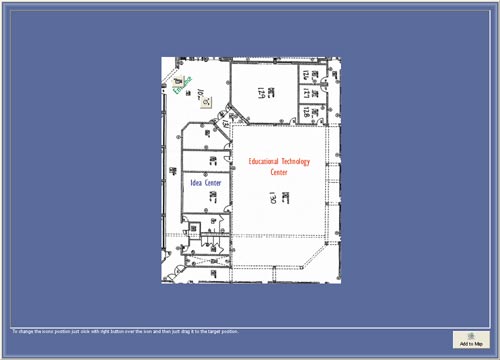
Action board is a feature that ables you to show a map of the facilities with dynamic icons of the cameras, ouputs and inputs, if there is a motion detection on a camera showed on map the icon will blink in a yellow color. The same for inputs.
Loading map image
First we must load a map image to the map window, eg: if you have a map on paper you can scan and have that on screen.
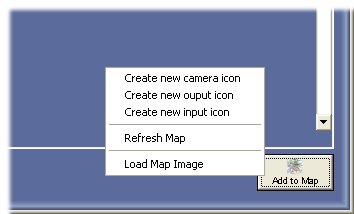
Press on the button "Add to Map" on the bottom right of the window.
Select Load Map Image option to choose the filename of the map.
Adding icons to map window
Press on the button "Add to Map" on the bottom right of the window.
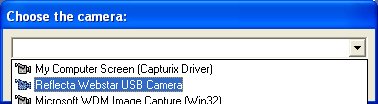
Select Create new camera icon, output or input icon:
Moving and deleting icons
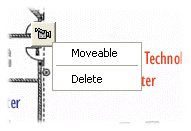
Press right button of the mouse and select Moveable or Delete to change the icon state.
Moving and deleting icons
Press right button of the mouse and select Moveable or Delete to change the icon state.
Than you just have to press the left button and move to the positition that you want release the button.
© Capturix Software Technologies. All rights reserved.