 |
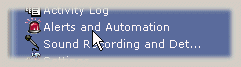
To access the Alerts and Automation configuration: System Tray Menu >> Alerts and Automation. |
|
|
To access the Alerts and Automation configuration: System Tray Menu >> Alerts and Automation. |
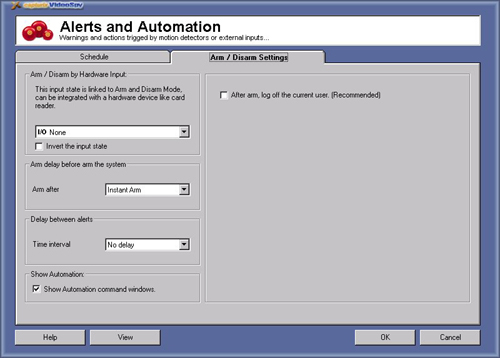
Arm and Disarm settings
This settings allow you to have a arm / disarm input .
Arm/Disarm alerts means that you can temporaly turn off the alerts that you check on schedule.
This ables you to program the Away and Home functions like a standard Security console.
Arm delay before arm the system:
This feature ables you to give a delay for the system be armed, eg: if you want to have time to exit the room.
Delay between alerts:
This feature prevents for each time a alert event is trigged you receive a alert, eg. if you want to receive a e-mail for each motion detection you will receive a lot of e-mail if the motion detection is detecting motion, to prevent that you can set delay of 1 minute, and only if there a motion on the next minute you will receive another e-mail.
Show Automation command window:
This feature ables you to see all automation commands on a separated message window.
After arm, log off current user:
This option is recommended if you have more security on your system, after the system is armed it will be necessary to log in to change settings.
© Capturix Software Technologies. All rights reserved.