 |
To access the Security Options configuration: System Tray Menu >> Settings >> Camera Control. |
|
|
To access the Security Options configuration: System Tray Menu >> Settings >> Camera Control. |
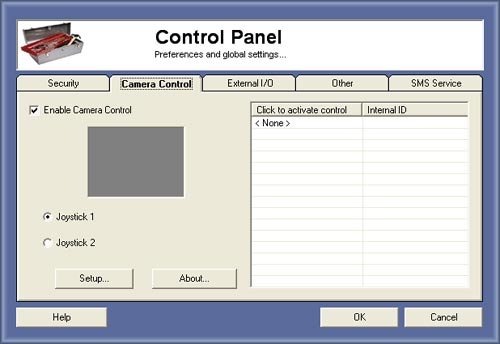
Camera Control
This features gives the possibility to control PTZ (Pan/Tilt/Zoom) cameras with a simple joystick, Capturix Open source drivers are available for developers.
Administrator have all permissions to access any kind of settings. But you can create more accounts to other persons.
We recomend to protect the access of this window using the Security settings.
Enable Camera Control
First you need to choose the Joystick number you want to control all motorized cameras, you have a grey test area to test the joystick movements.
On the right list will appear all cameras available by the camera drivers.
Setup/About buttons
This buttons will open the drivers windows. (different from driver to driver).
How to control the camera
Just click on the window and move the joystick, remember to set camera control output on the Device Configuration on window.
© Capturix Software Technologies. All rights reserved.