|
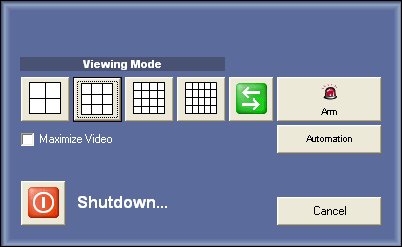
If you press ESC key a new window will pop-up
Only for Enterprise Edition |
Viewing Mode
With this features you can resize all active video windows.
2x2, 3x3, 4x4, 5x4 are the possibilities, if you have more than 25 windows open they will be resized on the back of the first 25 windows.
Select Maximize Video to hide the camera control when resizing.
Switch user
Just press
to change user. This button is the same of master menu Switch User / Login
Automation
This will open the alert and I/O control panel of the application.
© Capturix Software Technologies. All rights reserved.