 |
To access each device configuration you need to
activate a device opening a video window and press the Media Viewer Button. You can also access the Media Viewer from the System Tray Menu >> Media Archive. |
Media Archive - Search by date
|
|
To access each device configuration you need to
activate a device opening a video window and press the Media Viewer Button. You can also access the Media Viewer from the System Tray Menu >> Media Archive. |
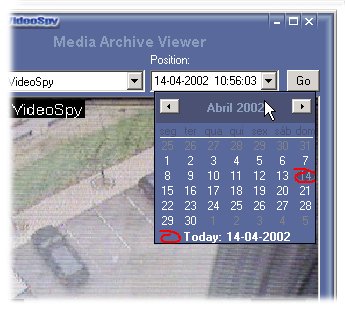
Search by date
Select the device that you want to see the archive
Position Menu
This dropdown menu ables you to search for a specific date on the calendar, just click on the day and press GO button
You can also write directly the date on the field and press GO button.
Searching method
If there is no image recorded on the date that you specifed, VideoSpy will show a image near that date.
If you double-click any event on the Activity Log associated with a video device this will open a Media Archive Viewer with a image of that event.
© Capturix Software Technologies. All rights reserved.