 |
To access each device configuration you need to
activate a device opening a video window and press the Media Viewer Button. You can also access the Media Viewer from the System Tray Menu >> Media Archive. |
Media Archive - Saving, Printing and Deleting Images
|
|
To access each device configuration you need to
activate a device opening a video window and press the Media Viewer Button. You can also access the Media Viewer from the System Tray Menu >> Media Archive. |
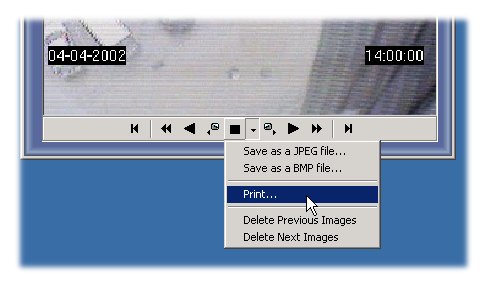
Saving Images
If you want to save a image from the security video, just stop the player and click the dropdown menu and press Save as JPEG file... or Save as a BMP File... depending on the format you want to save the file.
Printing Images
This option ables you to print directly the image that is displayed.
Deleting Images
If you want to delete all images from the selected image just click:
Delete Previous Images
Delete Next Images
© Capturix Software Technologies. All rights reserved.