|
To access each device configuration you need to activate a device opening a video window and press the Video Device Configuration. |
Device Settings - Motion Detector
|
|
To access each device configuration you need to activate a device opening a video window and press the Video Device Configuration. |
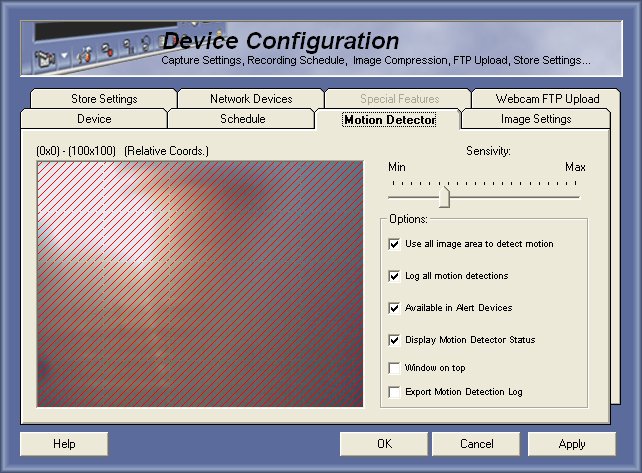
The Capturix VideoSpy Motion Detector
Capturix VideoSpy software have a internal motion detector to allow user to configure alerts, recording and other features that uses video motion detection. To avoid processor overload this motion detector is on only when is needed.
Capturix VideoSpy Internet Edition Capturix VideoSpy Enterprise This version have only one zone of detection that ables to select the zone you want to detect motion.
This version have 25 (5X5) zones of detection that ables to select the zones you want to detect motion.
Motion Detection Area
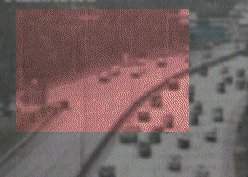
By default motion detection is made in all picture size, but you can choose a area by clicking with mouse on the area and drag to select the specific area.
Motion Detection Sensivity
This gauge is used to adjust the motion trigger, this can be useful if there is lights pointed to the camera or other things that can trigger the motion detection.
Motion Detection Parameters
Use all image area to detect motion - This will use all image size to detect motion, selected by default.
Log all motion detections - This will write on History Log all motion detection, not recommended for zones where motion detection is common, because will increase the History Log file.
Available in Alert Devices - This will use this motion detection in Alert trigger menu, to allow alerts trigged by this motion detection.
Display motion detector status - This will refresh the detection gauge every time motion is detected, even when motion does not reach the limit.
Window On Top - This will pop-up the video window every time motion is detected.
Export Motion Detection Log - This will save all motion detections to a CSV file that can be read by any software like Excel.
© Capturix Software Technologies. All rights reserved.