 |
To access each device configuration you need to activate a device opening a video window and press the Video Device Configuration. |
Device Settings - Network Devices
|
|
To access each device configuration you need to activate a device opening a video window and press the Video Device Configuration. |
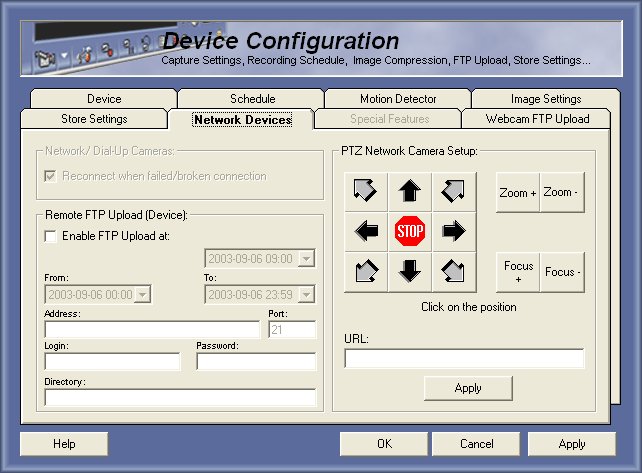
Reconnect when failed/broken connection
This option must be used if you want to automatic reconnect if the connection failed or broken.
Remote FTP Upload (Device):
This option allow user to setup a FTP upload from the network device, this requires a hardware that supports that feature.
PTZ Network Camera Setup:
This option allows user to setup a Ethernet device (like Axis Video Server), PTZ commands to move a motorized camera.
Just press the position you want to setup and enter the URL then press Apply.
© Capturix Software Technologies. All rights reserved.