 |
To access each device configuration you need to activate a device opening a video window and press the Video Device Configuration. |
Device Settings - Special Features
|
|
To access each device configuration you need to activate a device opening a video window and press the Video Device Configuration. |
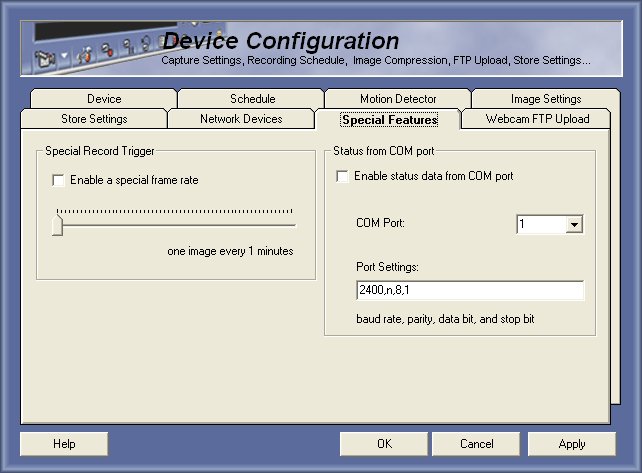
Special Record Trigger
This option can be used if you want to setup a special frame rate (normally more than one image each x minutes).
To activate this feature just enable the option and adjust the interval for the frame rate.
Status on COM Port (only on Enterprise Edition)
This feature able user to record video imposing data that comes from the serial port, this feature can be used with a POS or a access card reader to display the data on the video recording.
To activate this feature just enable the option, select the com port that will be used and ajust the speed and communication parameters than you must to the image settings and enable Show Status.
© Capturix Software Technologies. All rights reserved.